


vPlan AI is in beta -> Sign up now
Fragmented Excel files, tasks scattered across emails, and no real-time overview of client files? Then accountancy planning quickly turns into lost time, shrinking margins and frustration.
With vPlan, you bring structure and clarity to your firm. Whether you're working on financial statements, tax filings, audit engagements or accounting work: you stay in control.
Your team knows exactly what needs to be done, when it needs to be done, and by whom. And you can instantly see where there is capacity available and where bottlenecks are starting to emerge in your accountancy planning.

In many accounting firms, accounting planning lives in Excel, Outlook, separate task lists, or in employees' heads. As a result, it's often unclear where work is in the process and who is waiting on whom.
With vPlan, you work from one central workflow for your accountancy planning. For each client file, you can see exactly what the status is and which discipline the work belongs to, for example bookkeeping, financial statements, tax or review. No more scattered lists, just a clear workflow where tasks move logically between disciplines.
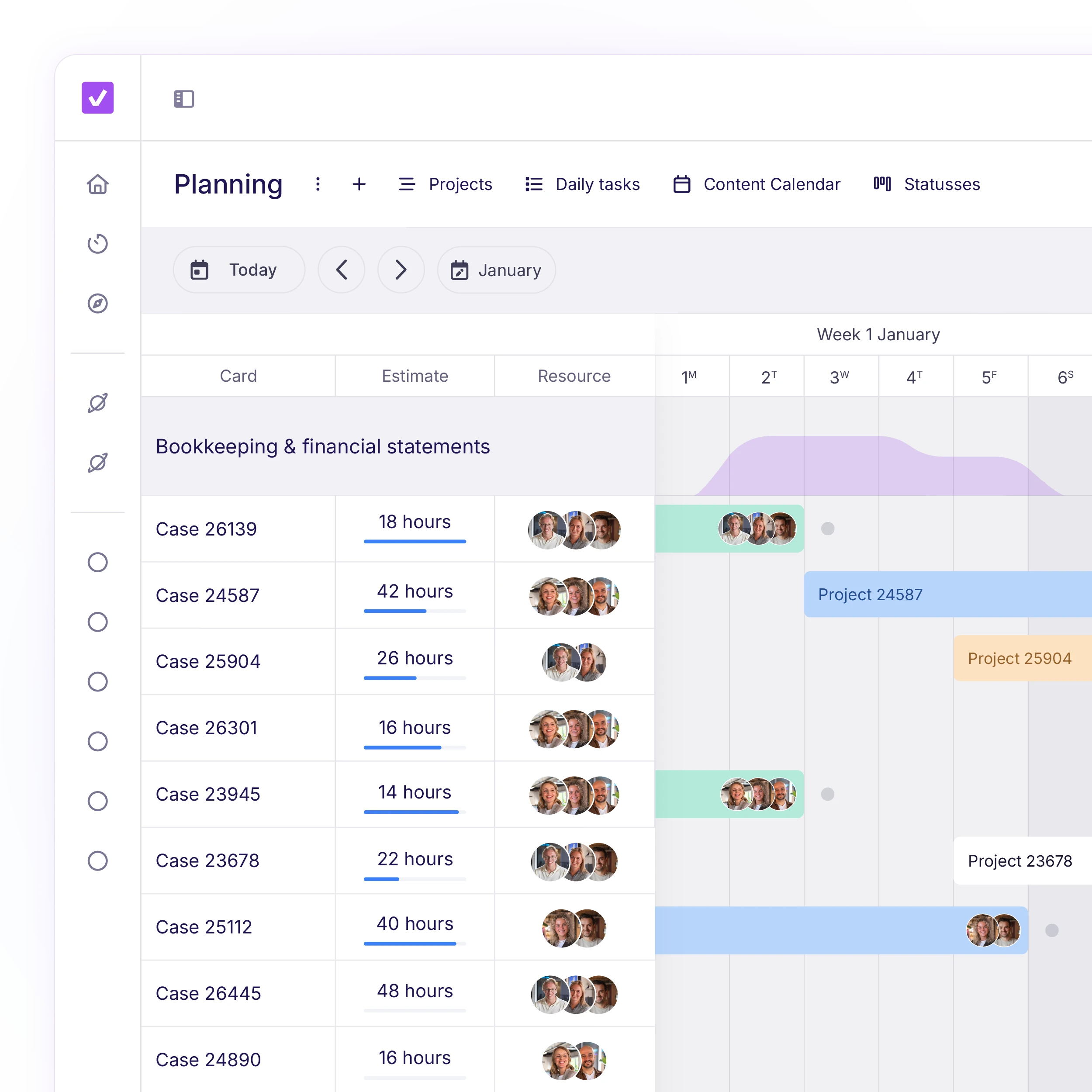
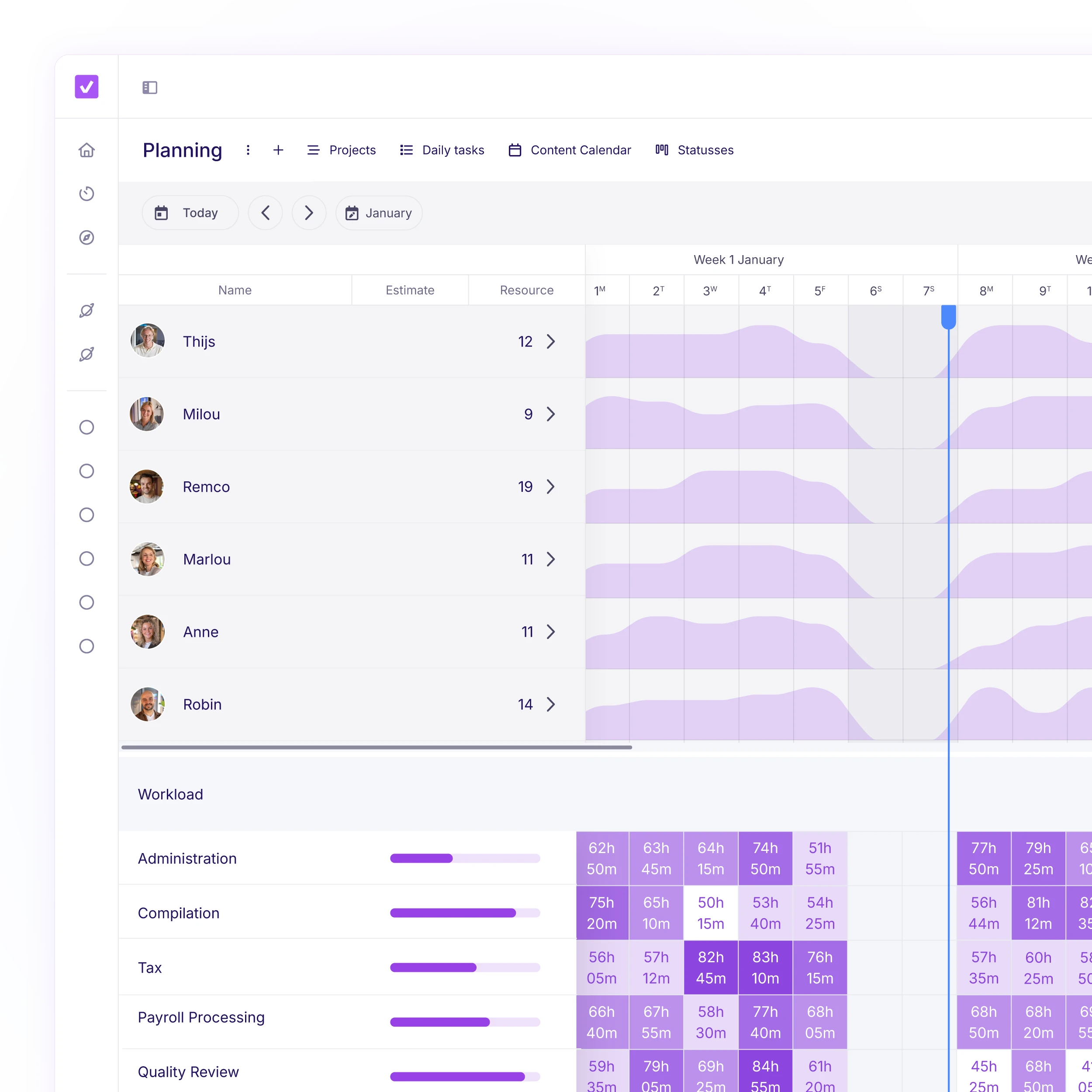
The real bottleneck rarely lies in the number of client files, but in how work is distributed across competencies. Is bookkeeping overloaded? Is review work stuck with one signing accountant? Is tax work piling up as the filing season approaches?
With vPlan, you immediately see where capacity is lacking and where there is room within your accountancy planning. Not afterwards, but while you're planning.
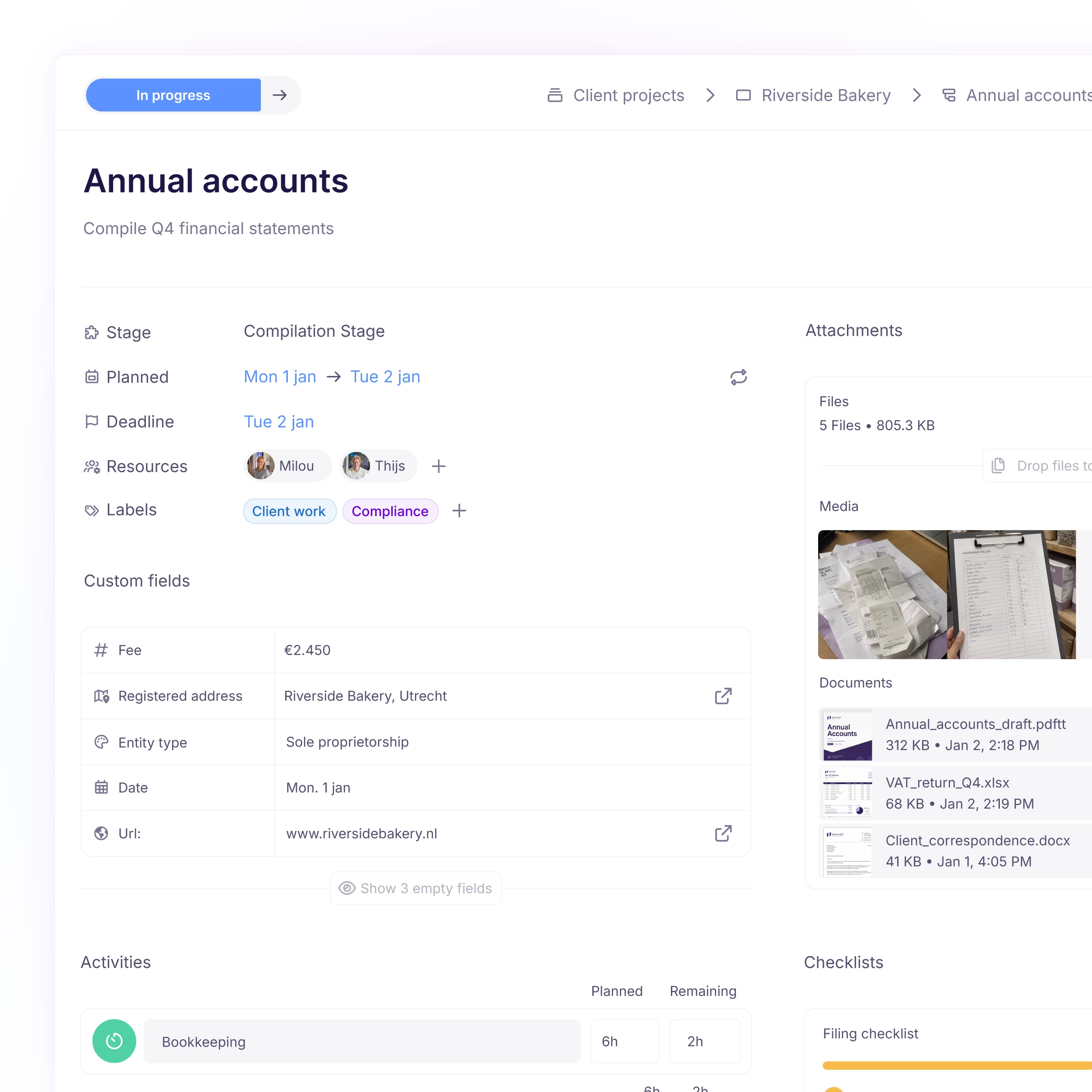
A planning tool is only valuable if it's pleasant to work with every day. With vPlan, every employee knows exactly what's on the accountancy planning, what has priority, and what they are responsible for.
No scattered lists, no searching, no confusion. Everything you need to do your work in one place.
Working on multiple engagements at the same time? Then you don't want to spend time figuring out what has priority or who is waiting for you.
With vPlan, you can immediately see what you need to work on today and this week. Tasks, deadlines, and client files are clearly organized so you can focus on the work itself instead of coordination.
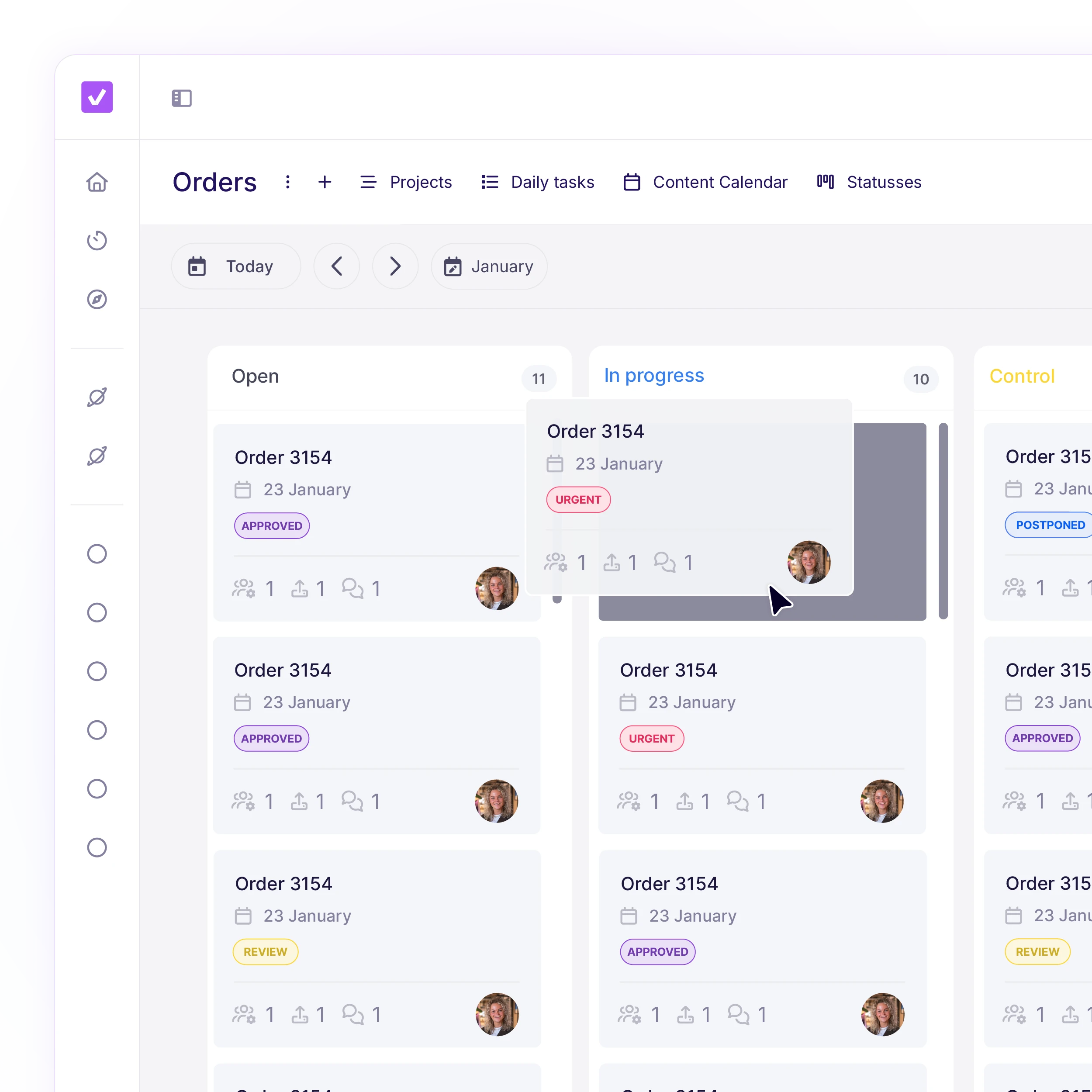
When you're responsible for multiple clients, you need realtime insight into progress, reviews, and deadlines.
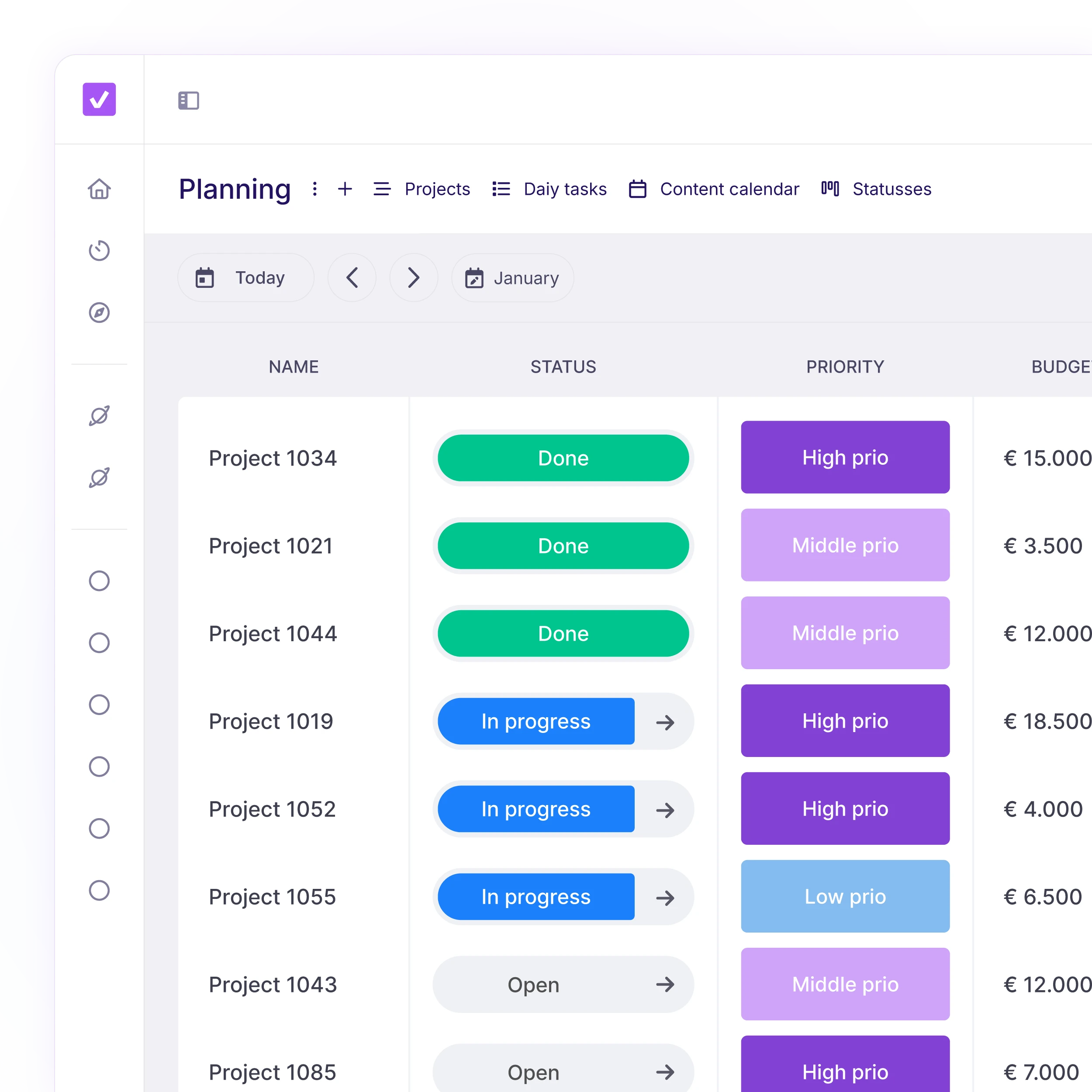
You want to know: where are the bottlenecks? Which teams are fully booked? Do we still have room for new clients?
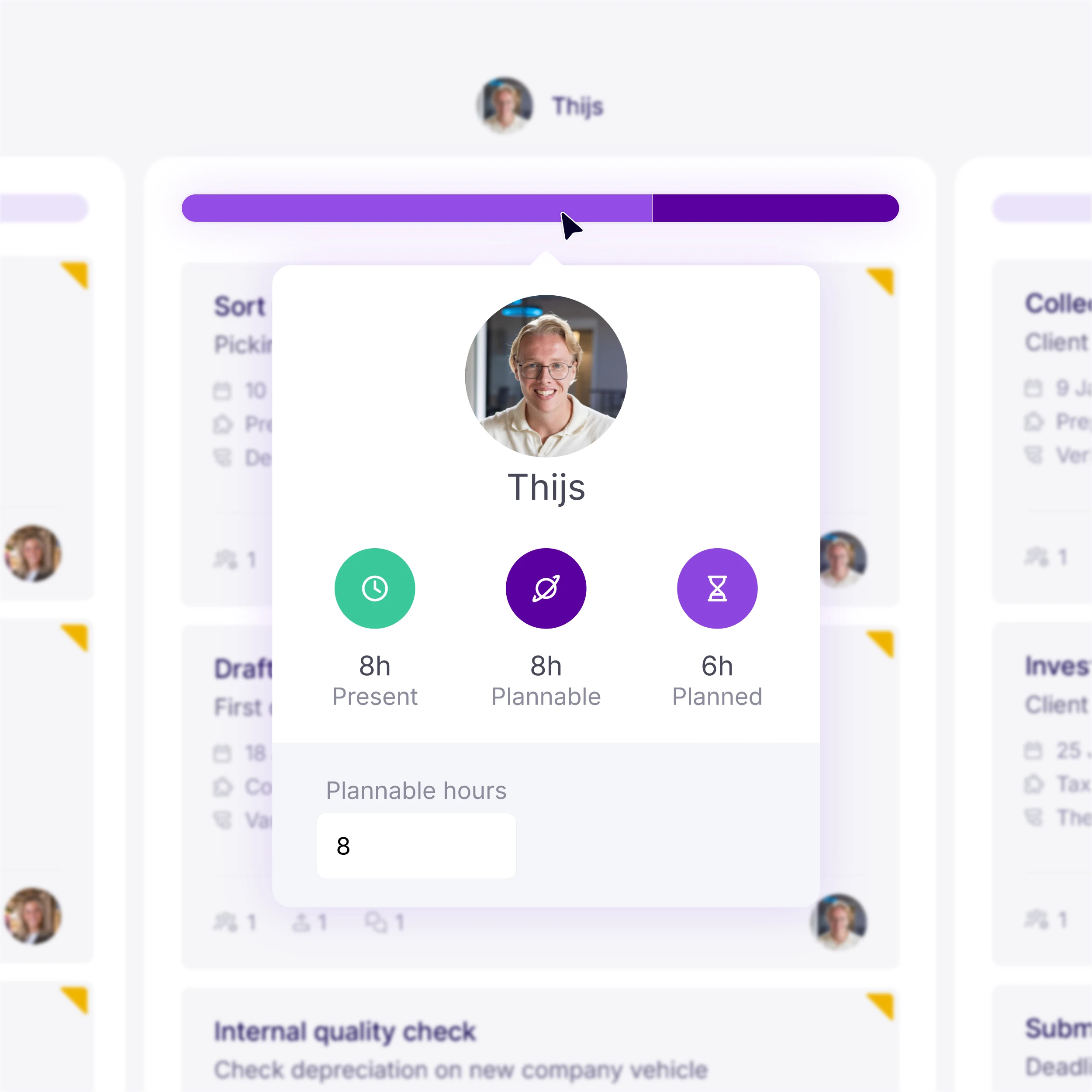

DDJ used to struggle with fragmented project data. By connecting their core administration to vPlan, they've replaced manual spreadsheets with a live, visual overview. This allows them to focus on high-value consultancy instead of chasing task updates.

Planning that works doesn't have to be a challenge. With vPlan, you work smarter, not harder. From simple workflows to real-time collaboration.

vPlan is designed for bookkeeping and accounting firms that work with financial statement preparation, tax filings, audit engagements, or recurring accounting processes. Both smaller firms and mid-sized organizations with multiple disciplines (such as Accounting, Tax, Financial Statements, and Audit) use vPlan to centrally manage their workflow and capacity.
During peak periods such as personal income tax (PIT) and corporate tax (CIT) seasons, vPlan provides real-time insight into workload and capacity per employee and discipline. You can see where work is piling up, redistribute tasks, and prevent reviews or filings from being delayed. This allows you to work more predictably with less last-minute pressure.
Yes. You can set up predefined workflows for each type of engagement (for example PIT, CIT, financial statements, or audit). Tasks, sequence, and responsible roles are defined in advance, ensuring a consistent way of working across your entire firm and preventing steps from being missed.
Absolutely. vPlan aligns with how accounting firms are structured. You can plan not only by client file, but also by discipline or competency. This gives you clear insight into workload across areas such as Accounting, Tax, or Review, and shows exactly where capacity is needed.
Yes. Employees can log their hours directly on the tasks or client files they are already working on. Because planning and time tracking are integrated, this prevents duplicate work and provides reliable insight into hours spent per engagement.
Because planning, progress, and time tracking are combined in one system, you can easily compare planned versus actual hours. This supports post-calculation, pricing decisions, and helps improve profitability per client or engagement.