
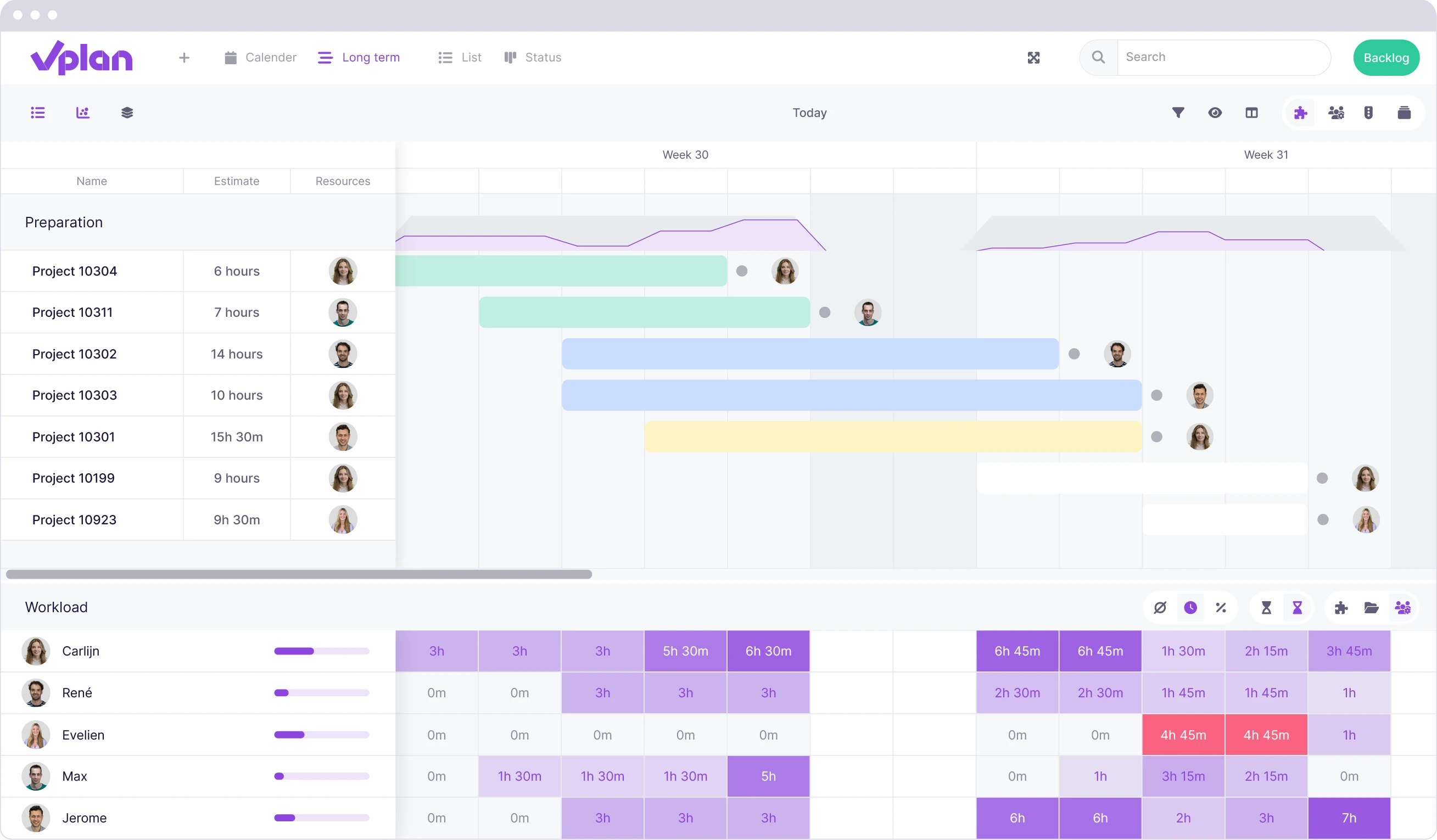
Workload
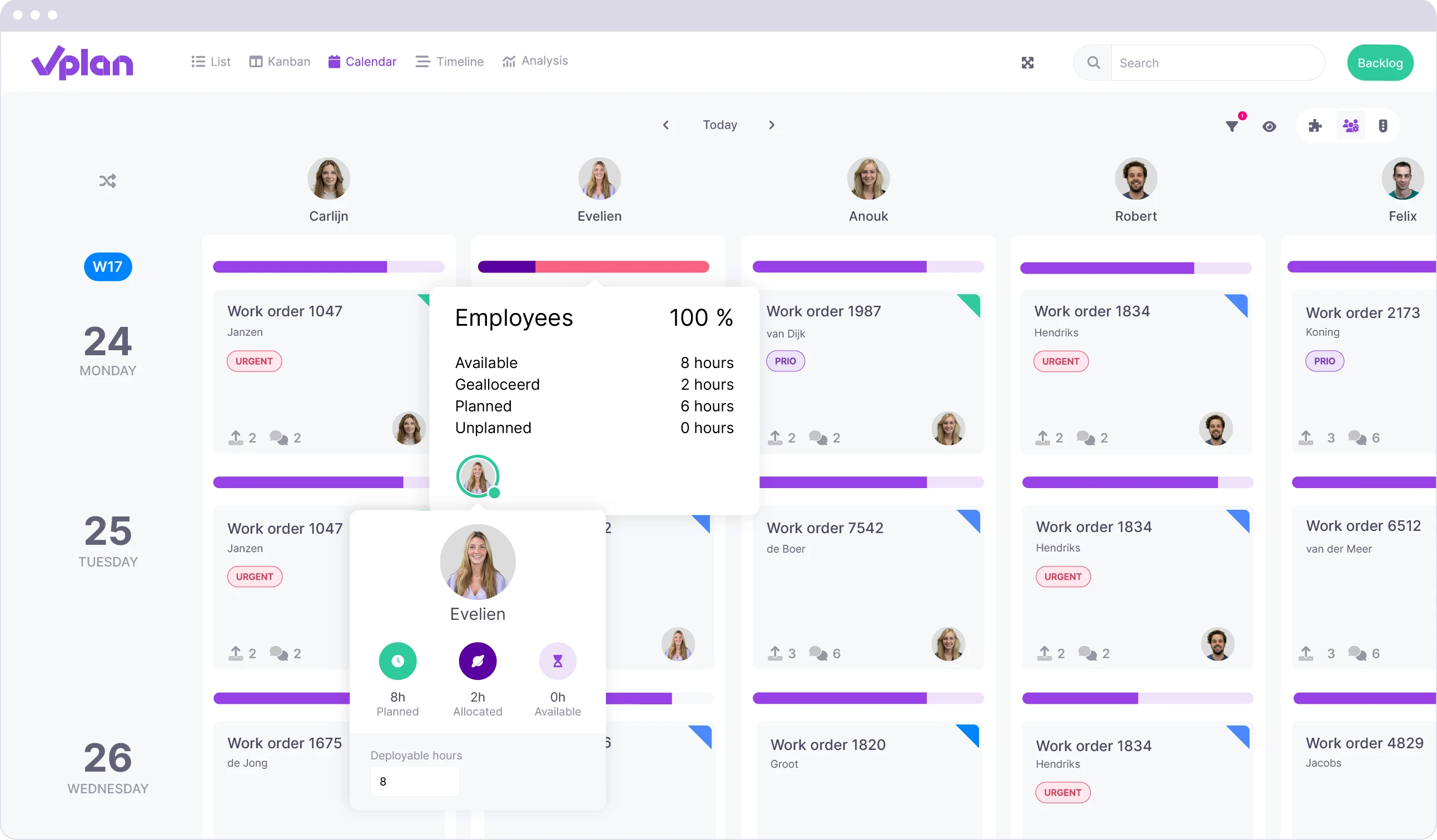
With workload, you quickly gain insight into your team's available capacity in the timeline view. This helps prevent overloading and allows for more efficient project planning.
- Capacity overview
- Per phase, group, or resource
- Visual warnings
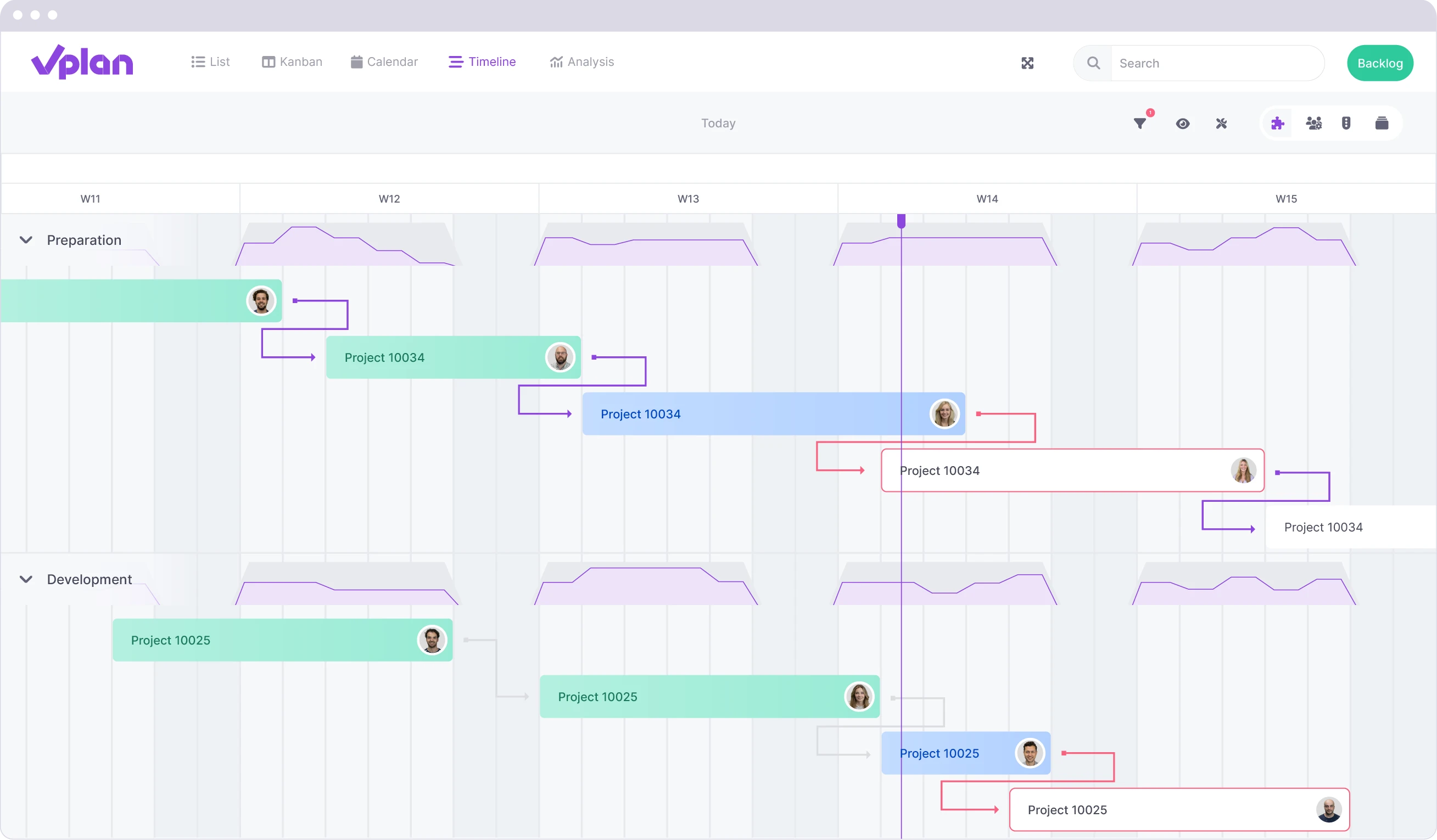
Dependencies
With dependencies in vPlan, you ensure that tasks are always executed in the correct order, even when your planning changes.
- Create relationships
- Automatic adjustments
- Visualisation
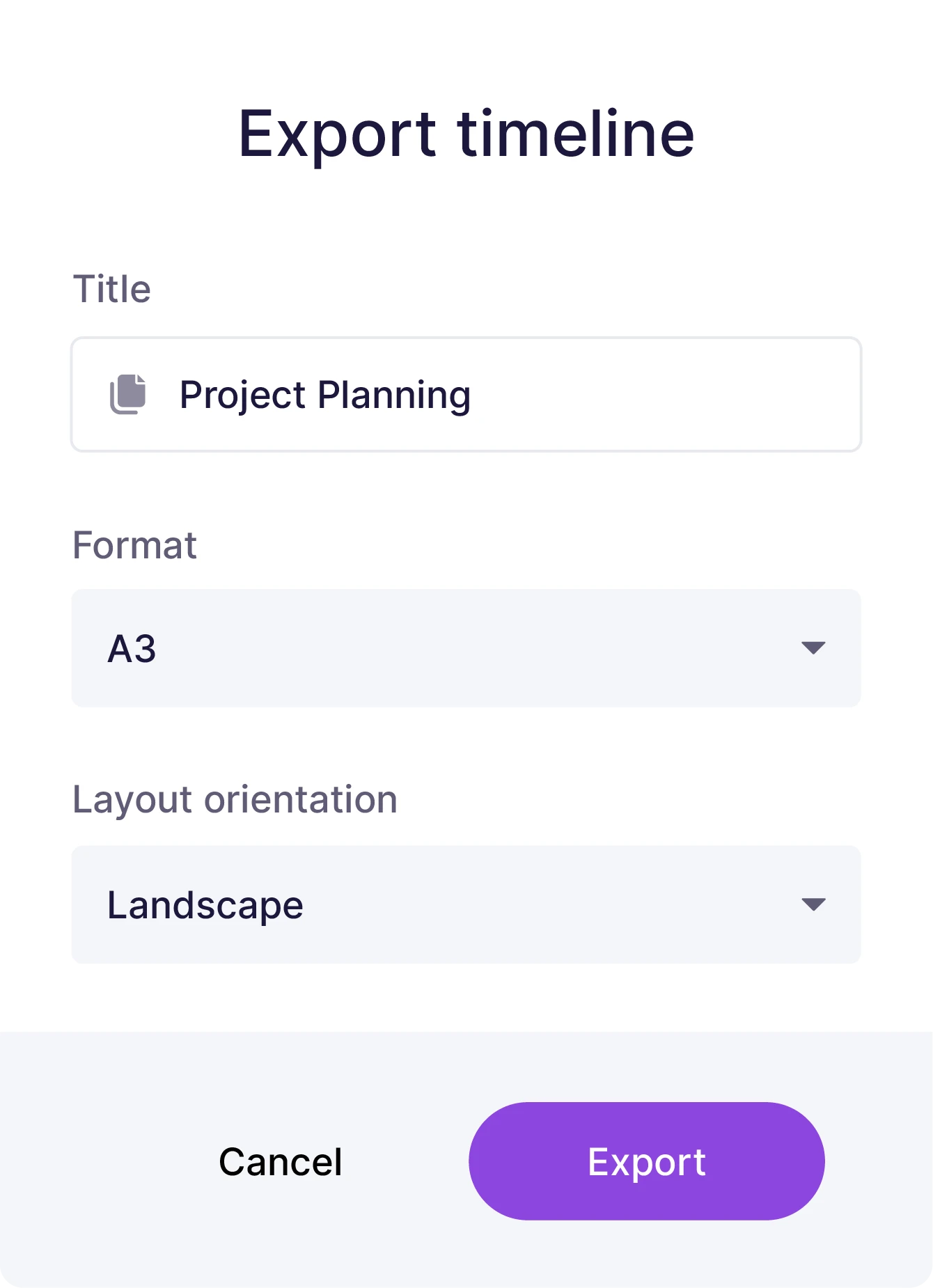
Export Timeline
With the export function in the timeline, you can easily convert your planning into a PDF file. This is ideal for teams that need to print the planning regularly.
- Flexible options
- Quick download
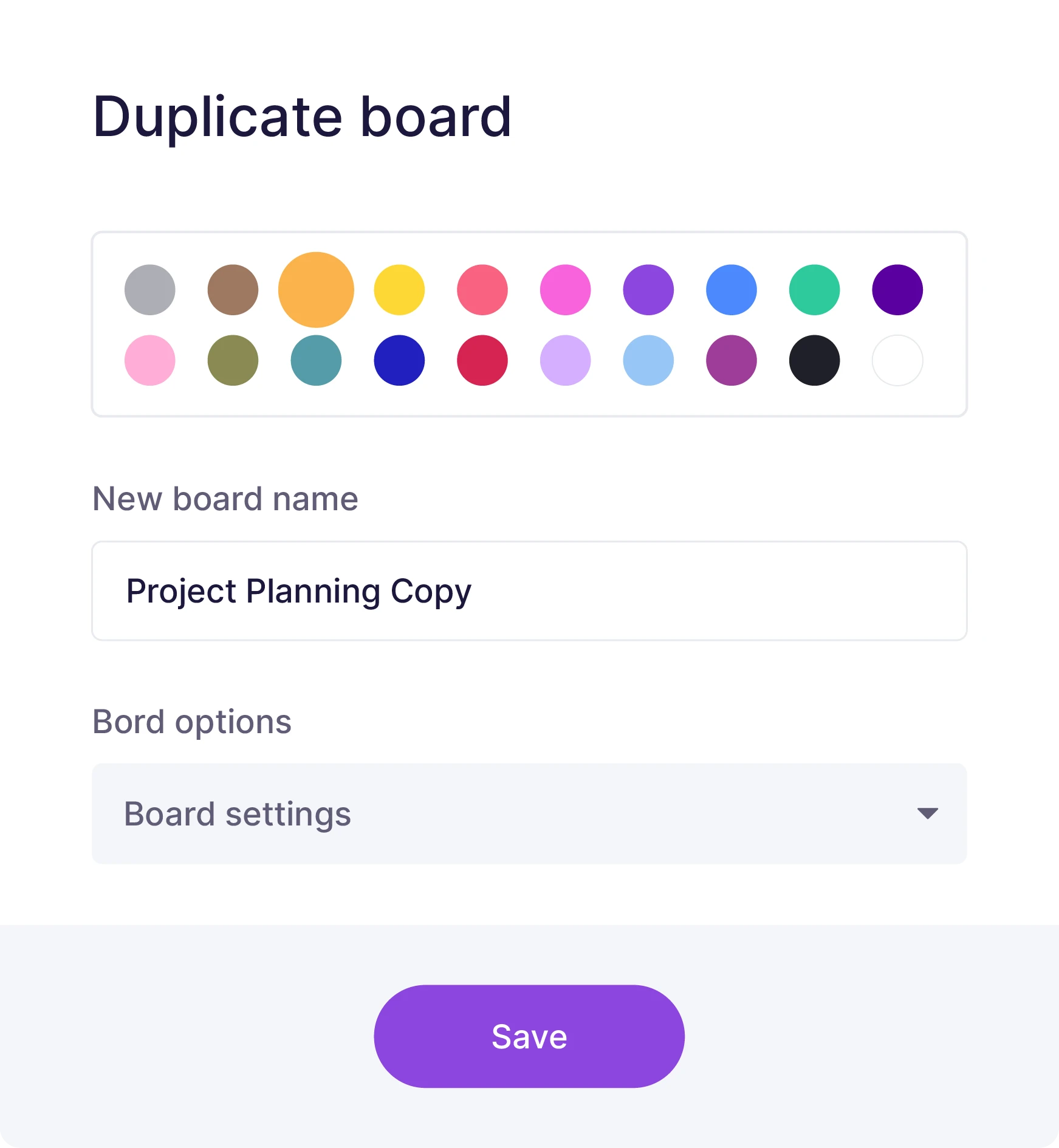
Duplicate Board
Easily duplicate a planning board without having to set everything up again while retaining custom fields, automations, phases, and statuses.
- Efficient copying
- Automations & fields
- Consistent workflow
Shared Capacity
With shared capacity, you can efficiently manage available capacity across multiple planning boards within a workspace. This prevents double bookings and ensures better resource management.
- Prevent overload
- Allocated hours
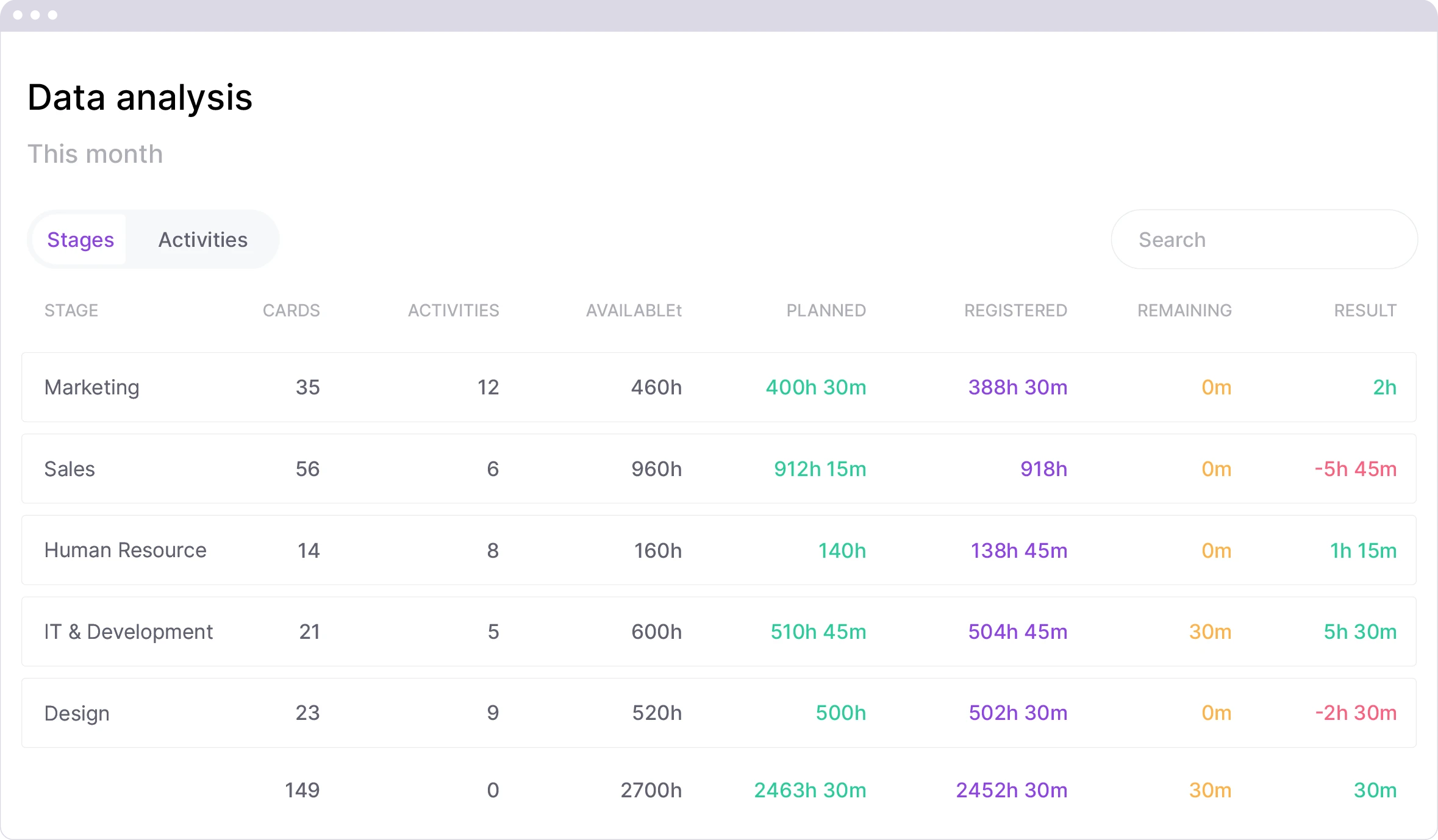
Analysis
The analysis view provides in-depth insights into your planning, from logged time to capacity and performance. Learn from the past and plan better for the future.
- View logged time
- Analyse phases and activities
- Measure efficiency
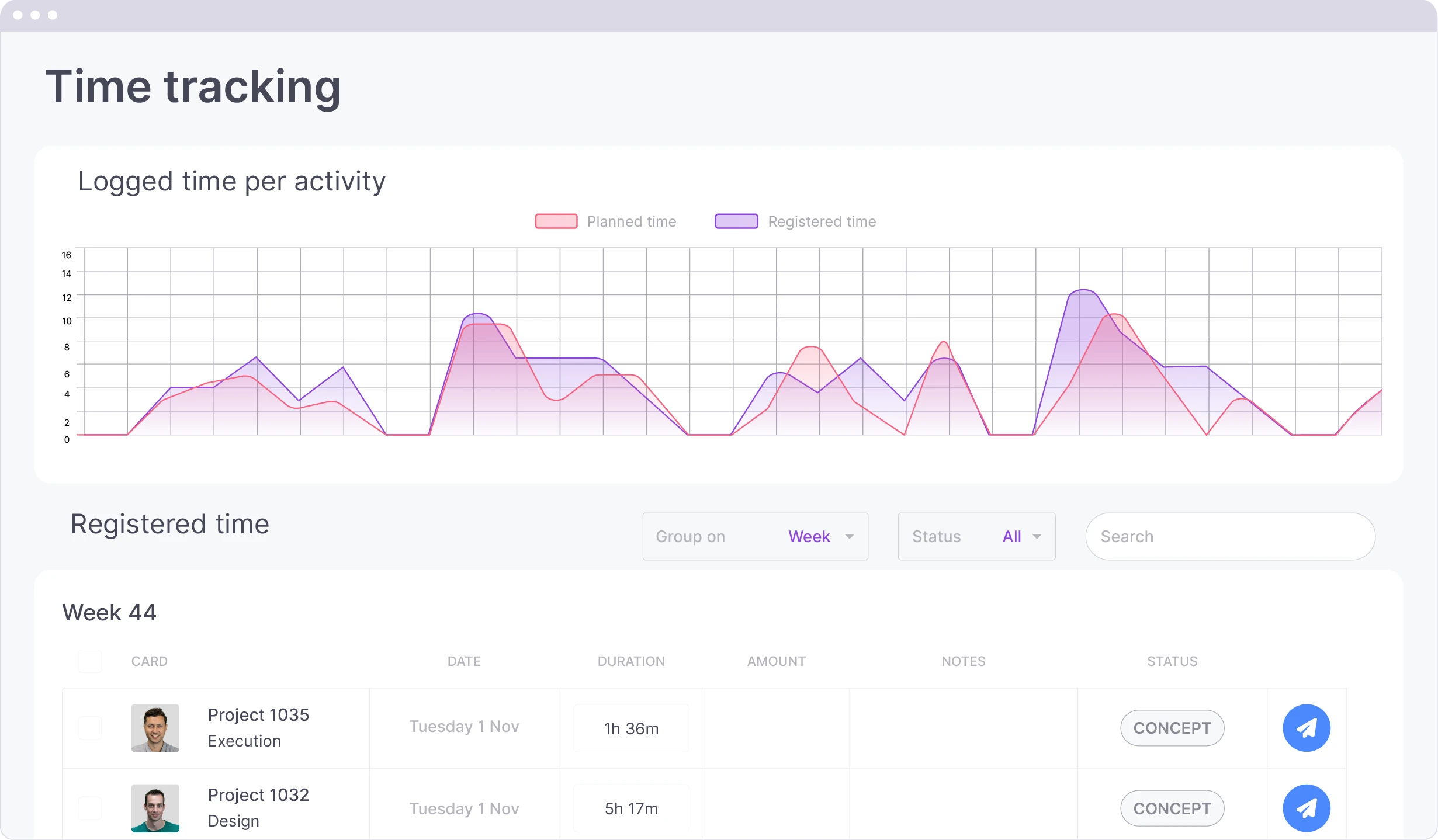
Time Tracking Dashboard
Quickly gain insight into your planned and logged hours to monitor productivity and optimise invoicing.
- Group by project or team
- Create overview in planning boards
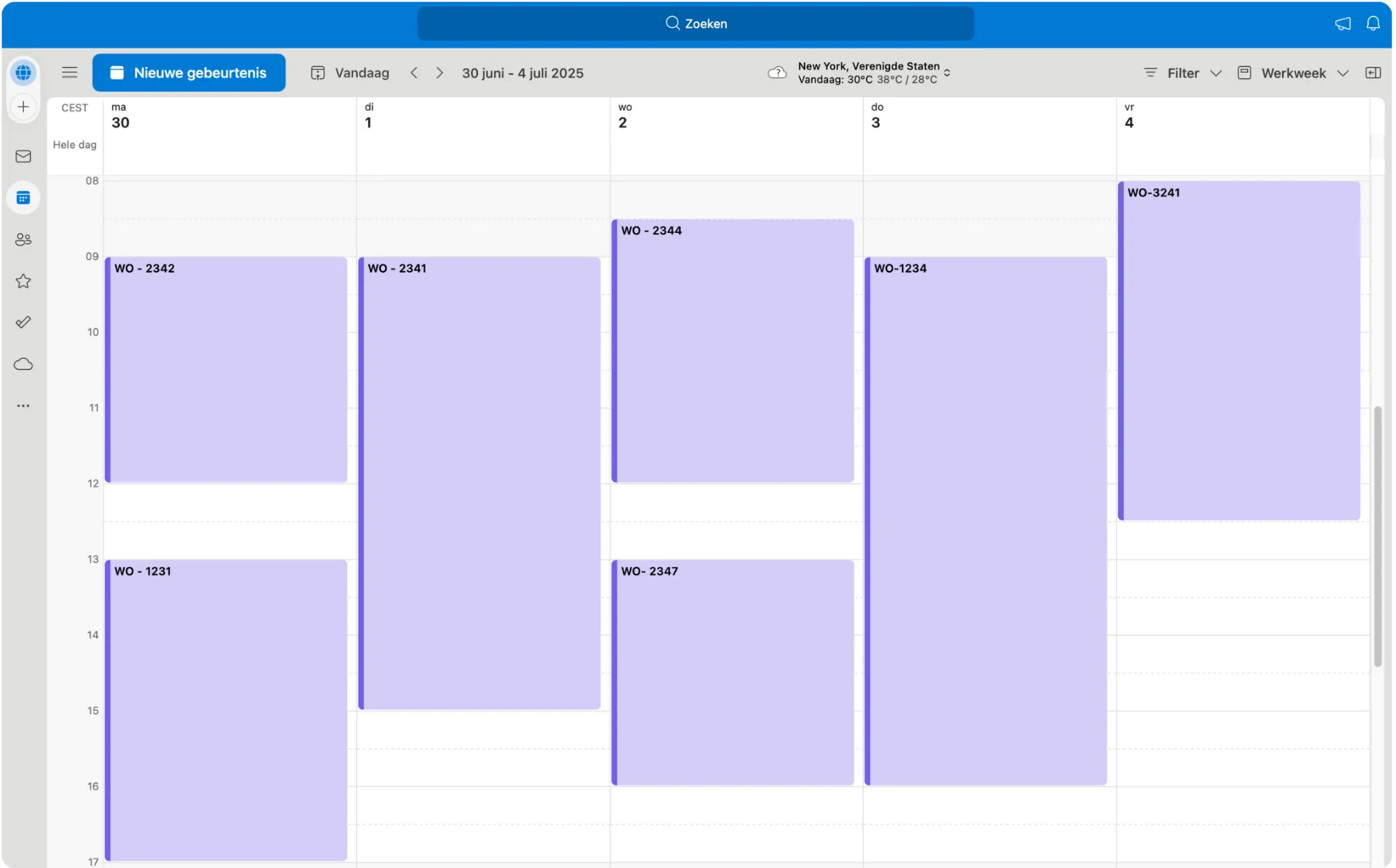
Calendar Link
With the agenda link, you can automatically synchronize your schedule with your own calendar, such as Google Calendar, Outlook, or Apple Calendar. Cards with a start and end time will automatically appear in your calendar, exactly as your planning looks in vPlan.
- Always an up-to-date overview in your calendar
- Never forget anything or double-book again

Details that make the difference
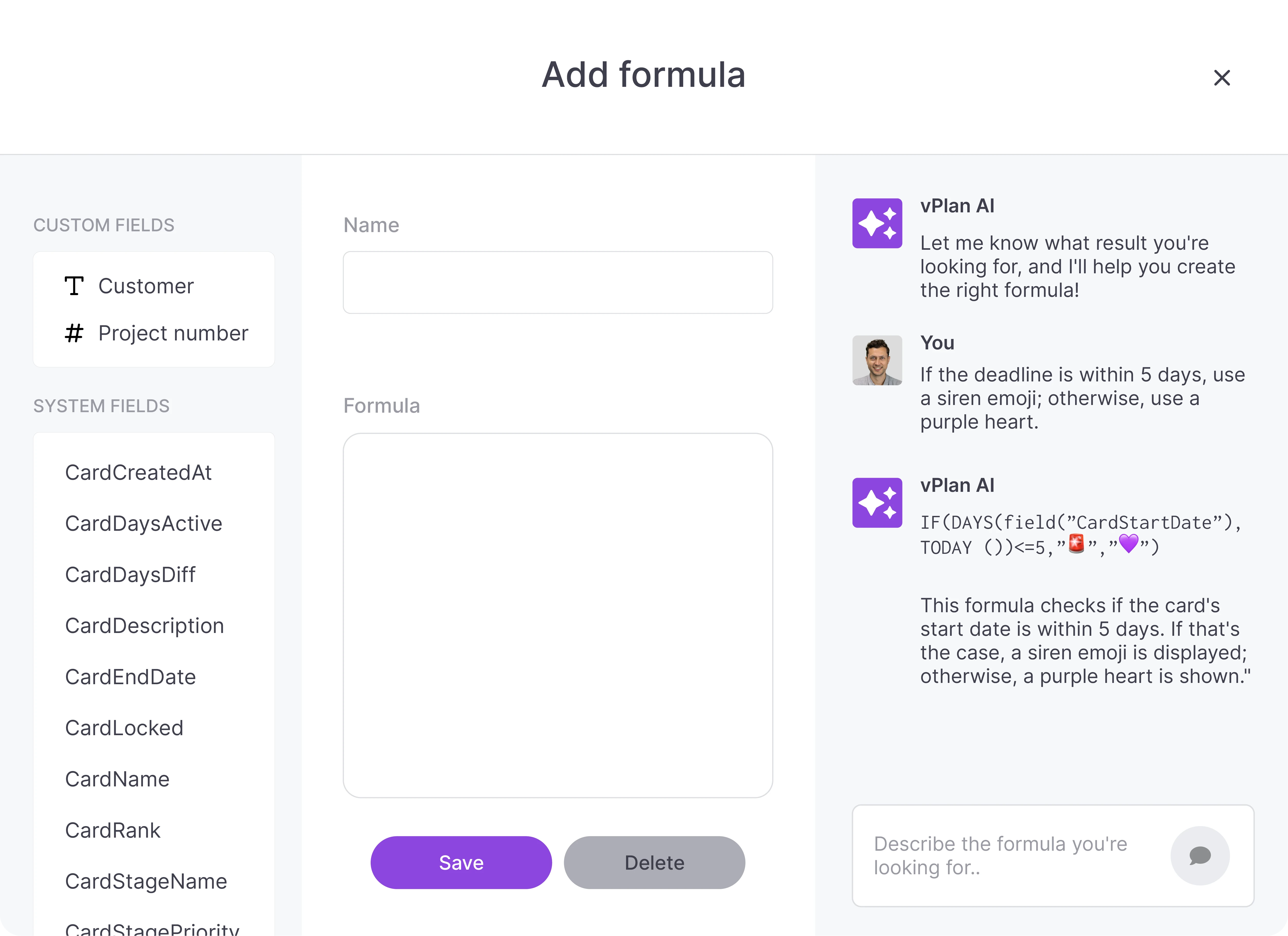
Smart Formulas
Use vPlan AI to specify what you want to calculate, and let AI generate the correct formulas for you.
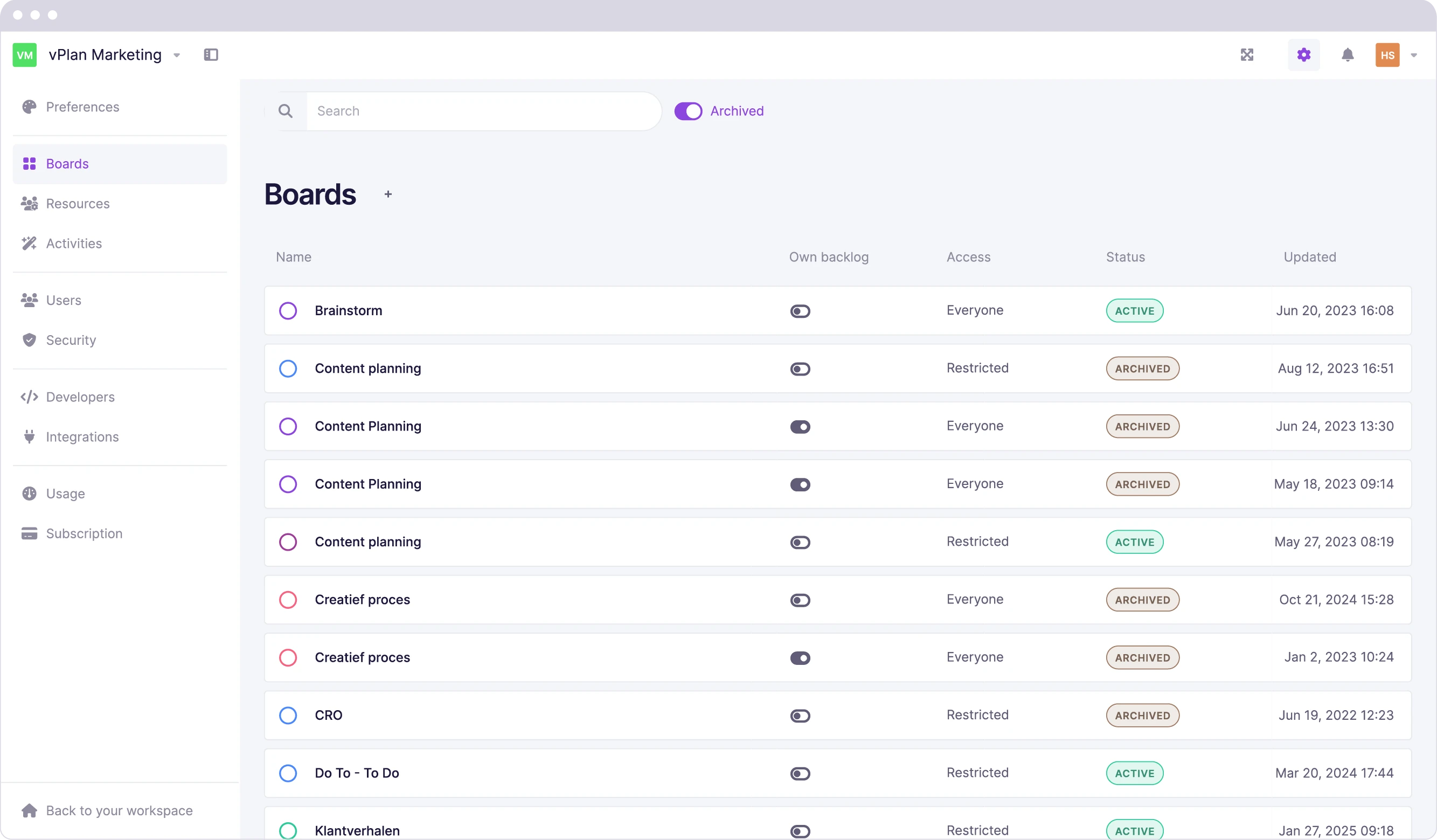
Archive Boards
Easily archive planning boards for future reference.
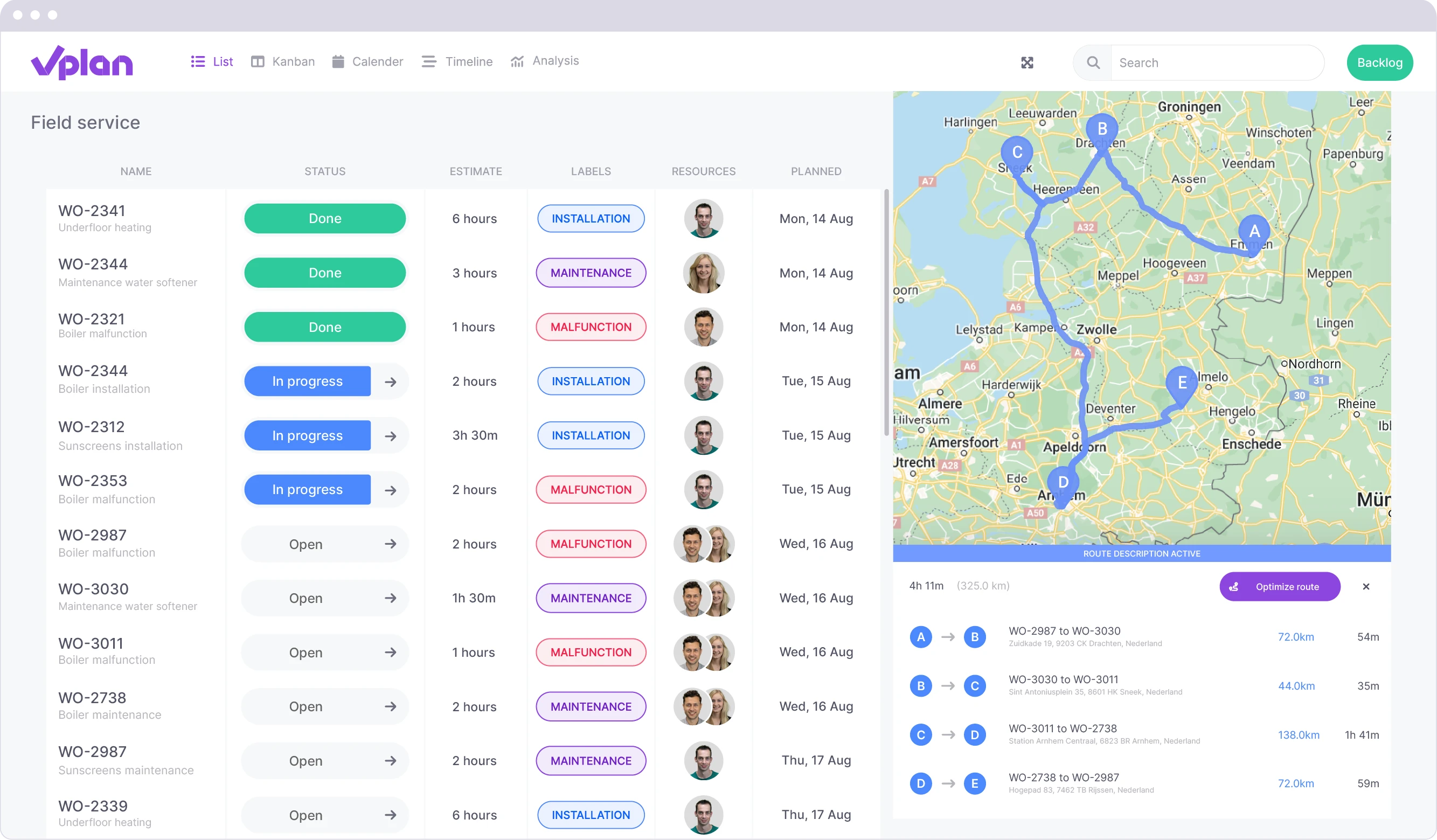
Route Optimisation
Let vPlan automatically calculate the best route for your planned locations.
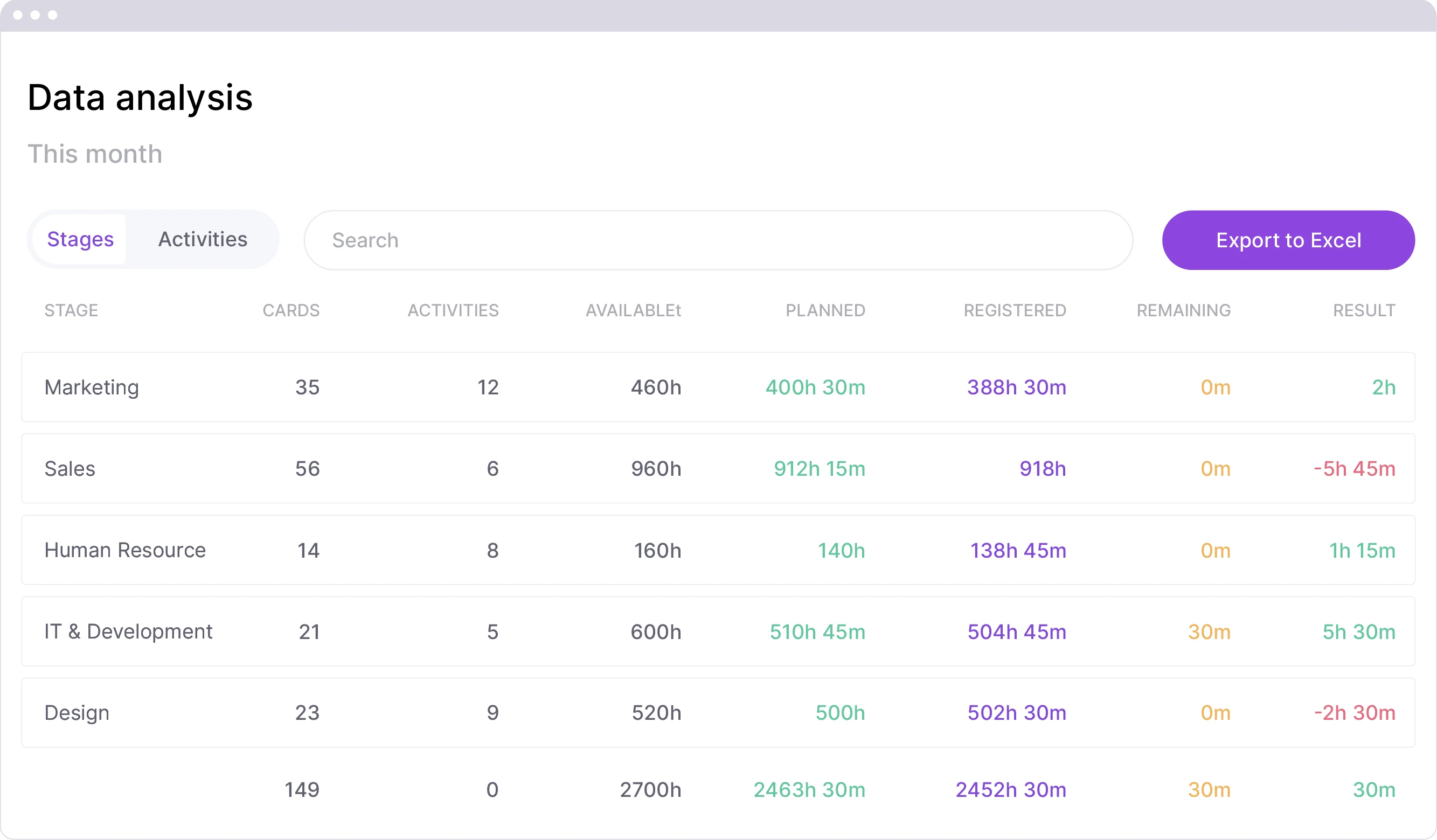
Export Time Tracking
Easily export your time tracking records to an Excel file.
Compare the Packages
| Features | ||
|---|---|---|
| Users | 140% | 180% |
| Boards | 50 boards | 500 boards |
| Storage | 5 GB | 10 GB |
| Workspaces | 5 | 50 |
| Automations | 1,000 actions per month | 10,000 actions per month |
| Board Archiving | ||
| Shared Capacity | ||
| Analysis | ||
| Workload | ||
| Time tracking | ||
| Formulas | ||
| Time tracking dashboard | ||
| Route Planning | 1,000 credits per month | |
| Dependencies | ||
| Export timeline to pdf | ||
| Export time tracking | ||
| Calendar link | ||
| API Keys | 5.000 calls per day | 10.000 calls per day |
| Webhooks | 5 | 25 |